Capd
Save anything on your Mac and find it again in seconds.
Save anything. Find it in seconds.
Capd is a private, native macOS app for capturing useful web pages, selected text, links, notes, and images—then finding them again with full-text search.
No account. No subscription. No telemetry. Your library stays on your Mac.
Download the latest release · Install with Homebrew
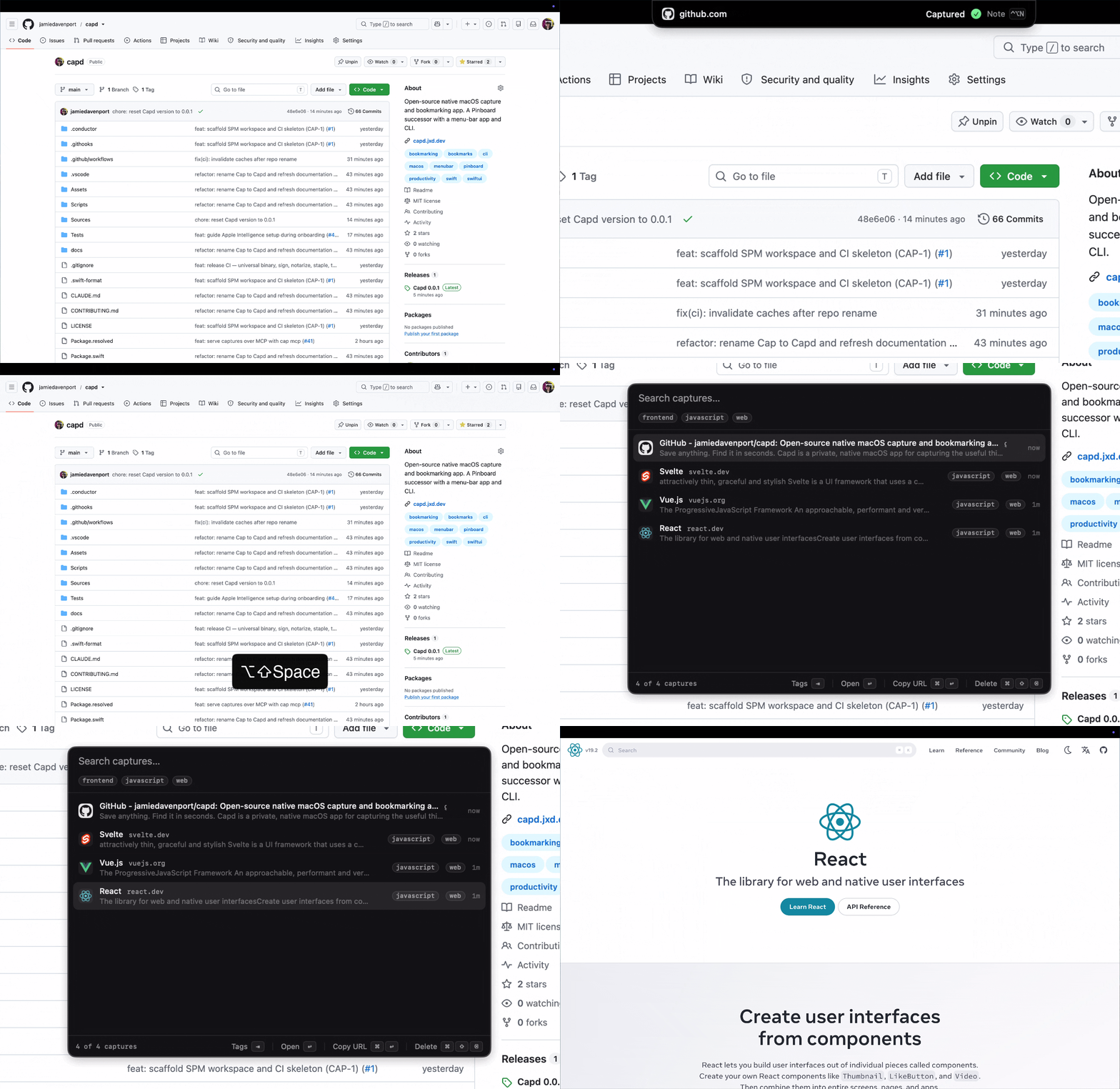
Capture without breaking focus
Press ⌃⌥C in any app, drag a link or image to the menu bar or MacBook notch, or share a page through the macOS share sheet. A compact HUD confirms what was saved and lets you add a note without opening a main window.
Capd understands links, selected text, clipboard images, and dropped files. It also removes common tracking parameters and folds repeat captures into the existing item.
Search what you remember
Press ⌥⇧Space for fast, keyboard-first search across titles, websites, notes, selections, readable page content, and text recognized inside images. On-device tags provide another quick way to narrow a growing library. With Apple Intelligence available, Ask Cap answers natural-language questions using the best matches and links every claim to its source capture.

Learn about search and filters
Private by design
Everything Capd stores lives in a SQLite database and assets folder on your Mac. There is no cloud account, sync service, analytics, or telemetry. OCR and automatic tagging run on-device.
Powerful when you need it
The bundled capd CLI captures, searches, and exports the same local library.
It offers stable JSON output for automation and a read-only MCP server for
compatible AI assistants.
Get started
- Download and install Capd.
- Press ⌃⌥C anywhere to save your first capture.
- Press ⌥⇧Space and search for a word from it.
Need more detail? Continue with Capturing, Search, Menu bar and settings, or the FAQ.